Tech PD
  • Home
  • The TechPD Blog
  • Tech PD Newsletter
  • 21st Century Education
  • Assessment w/ Tech Tools
    • Edulastic
    • Formative
    • Kahoot
    • Orange Slice Teacher Rubric
  • Beginning of the Year ~ Tech PD
  • Blogging
  • Brain Pop/ Brain Pop Jr.
  • Compass Learning
    • Compass for Teachers
    • Compass with Students
    • Compass at Home
    • Compass on a Mobile Device
    • Compass Tips & Tricks
    • Compass Troubleshooting
  • Explain Everything App
  • Filr
    • Filr ~ On an IOs device
  • Genius Hour
  • Going-Google
    • Going Google Survey
    • for Office Personnel
    • for Support Staff
  • Google Calendar
  • Google Chrome
    • Read Write Toolbar for Chrome
  • Google Classroom
  • Google Drive
  • Google Docs
  • Google Forms
    • Google Forms - Question Types
    • Forms & Flubaroo
    • Forms & AutoCrat
  • Google Hangout
  • Google Search
  • Google Sheets
  • Google Sites
  • Google Slides
  • HyperDocs
  • Informational Text Sources
  • Ipads in the Classroom
  • ISTE Standards for Students
  • Keyboarding Resources
  • New Teacher Training
  • (PLN) Personal Learning Network
  • Read Write Toolbar for Chrome
  • SAMR Model of Tech. Integration
  • Student Centered Technology Models
    • Blended Learning Model
    • Flipped Classroom
    • Personalized Learning Model (w/ tech.)
  • Tech to Improve Learning
  • Tech Time Playdates
    • BrainPop Playdate
    • Compass Playdate
    • Discovery Ed Playdate
    • Google Forms Playdate
    • Google Keep Playdate
    • Google Slides Playdate
    • Nearpod Playdate
  • Tech Tools Demo Slam
  • Twitter
    • Twitter ~ Getting Started
    • Twitter ~ What to Follow
    • Twitter Chats
    • More Twitter
    • Twitter in the Classroom
    • Twitter for Professional Learning
  • Video in the Classroom
  • Weebly
  • Word Clouds
  • YouTube
    • Youtube~ A PLN Tool
    • Why?? YouTube in the Classroom
    • Create a YouTube Playlist
    • Remove the YouTube Clutter
    • Tools that work with YouTube
    • Uploading to YouTube from an iDevice
    • Create ScreenCasts and Upload to YouTube
  • Home
  • The TechPD Blog
  • Tech PD Newsletter
  • 21st Century Education
  • Assessment w/ Tech Tools
    • Edulastic
    • Formative
    • Kahoot
    • Orange Slice Teacher Rubric
  • Beginning of the Year ~ Tech PD
  • Blogging
  • Brain Pop/ Brain Pop Jr.
  • Compass Learning
    • Compass for Teachers
    • Compass with Students
    • Compass at Home
    • Compass on a Mobile Device
    • Compass Tips & Tricks
    • Compass Troubleshooting
  • Explain Everything App
  • Filr
    • Filr ~ On an IOs device
  • Genius Hour
  • Going-Google
    • Going Google Survey
    • for Office Personnel
    • for Support Staff
  • Google Calendar
  • Google Chrome
    • Read Write Toolbar for Chrome
  • Google Classroom
  • Google Drive
  • Google Docs
  • Google Forms
    • Google Forms - Question Types
    • Forms & Flubaroo
    • Forms & AutoCrat
  • Google Hangout
  • Google Search
  • Google Sheets
  • Google Sites
  • Google Slides
  • HyperDocs
  • Informational Text Sources
  • Ipads in the Classroom
  • ISTE Standards for Students
  • Keyboarding Resources
  • New Teacher Training
  • (PLN) Personal Learning Network
  • Read Write Toolbar for Chrome
  • SAMR Model of Tech. Integration
  • Student Centered Technology Models
    • Blended Learning Model
    • Flipped Classroom
    • Personalized Learning Model (w/ tech.)
  • Tech to Improve Learning
  • Tech Time Playdates
    • BrainPop Playdate
    • Compass Playdate
    • Discovery Ed Playdate
    • Google Forms Playdate
    • Google Keep Playdate
    • Google Slides Playdate
    • Nearpod Playdate
  • Tech Tools Demo Slam
  • Twitter
    • Twitter ~ Getting Started
    • Twitter ~ What to Follow
    • Twitter Chats
    • More Twitter
    • Twitter in the Classroom
    • Twitter for Professional Learning
  • Video in the Classroom
  • Weebly
  • Word Clouds
  • YouTube
    • Youtube~ A PLN Tool
    • Why?? YouTube in the Classroom
    • Create a YouTube Playlist
    • Remove the YouTube Clutter
    • Tools that work with YouTube
    • Uploading to YouTube from an iDevice
    • Create ScreenCasts and Upload to YouTube
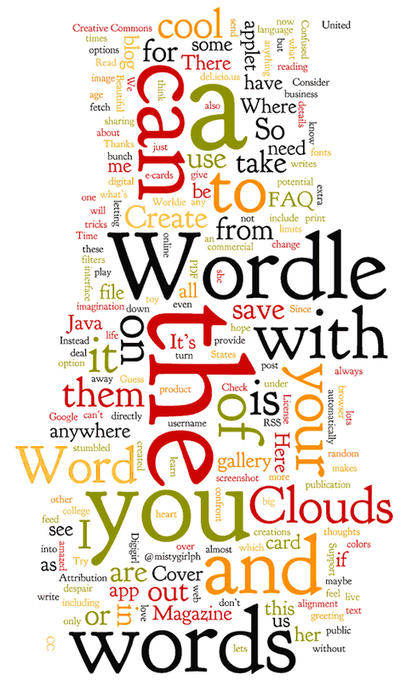
Picture

Learn More about Word Clouds

  • Small Bytes:  Wordle
  • 12 Valuable Wordle Tips You Must Read...Wordle in Education
  • 108 Ways to Use Wordle in Education
  • 10 Amazing Ways to Use Wordle at School
  • 51 Interesting Ways to Use Wordle in the Classroom 
  • Lesson Design using Wordle:  Pre and Post test
  • Three Ways to Use Wordle for more than Fluff

Word Cloud Tools

Tagxedo
  • free
  • custom shapes and themes
  • font choices
  • save as jpg and/or png
  • can view history to choose the best one
ABC Ya  
  • free
  • no login required
  • very similar to Wordle
  • save as jpg

Wordle
  • free
  • no login required
  • No Save As option, but take a screen shot before you close to save it. Hit the PrtScn button and paste into another application, such as ppt or Word. If you paste into ppt, you can then save as "Other Formats" and choose jpg from the drop down in the "Save as type..."
  • keep word phrases together by using the tilde ~ (on the same key as the accent mark, to the left of number 1)
  • There may be inappropriate content in the Gallery, so have students go directly to http://www.wordle.net/create.
Tagul
  • requires login with email
  • custom shapes
  • multiple fonts usage in one cloud (not available in Wordle)
  • tag words to act as pointers to url's if embedded on web page
Word It Out 
  • login required, but don't need this to right-click and save as jpg or PrtScn
  • cutomizable by size, font, color scheme
  • allows user to ignore certain words to keep them out of the word cloud
Tag Crowd 
  • no login
  • free for nonprofit
  • shows frequency of words
  • can upload file to url
  • save as pdf
Wordsift
  • no login
  • no save as, so use PrtScn
  • from Stanford University
  • allows words to be listed by how common or rare they are
  • allows words to be listed in ABC order
  • Wordsift allows the user to click on words to view in an online visual thesaurus with dictionary, google  images, and word sentence placement
  • view words by subject area and cross curricular areas by unique color coding and definitions that relate to specific disciplines
  • Watch this video lesson on using Wordsift with students on a lesson about Dr. Martin Luther King Junior.
Make Word Mosiac 
  • no login or email required
  • different shapes, colors, and fonts
  • may have limited use in the classroom
  • save as jpg (choose from the More button)
  • for personal use
VocabGrabber
  • analyzes text and generates lists of the most useful vocabulary words then displays how those words are used in context
  • Copy text from a document and paste it into the box, and click  Grab Vocabulary! VocabGrabber will automatically create a list of vocabulary from the  text, which can be sorted, filtered, and saved. Click on any word in the cloud and a snapshot of the Visual Thesaurus map appears along with definitions for that word, and  examples of the word in the text.

TagCloudGenerator 
  • cannot paste text in this one
  • results are a moving flash file that can be downloaded
Picture
  • Home
  • The TechPD Blog
  • Tech PD Newsletter
  • 21st Century Education
  • Assessment w/ Tech Tools
    • Edulastic
    • Formative
    • Kahoot
    • Orange Slice Teacher Rubric
  • Beginning of the Year ~ Tech PD
  • Blogging
  • Brain Pop/ Brain Pop Jr.
  • Compass Learning
    • Compass for Teachers
    • Compass with Students
    • Compass at Home
    • Compass on a Mobile Device
    • Compass Tips & Tricks
    • Compass Troubleshooting
  • Explain Everything App
  • Filr
    • Filr ~ On an IOs device
  • Genius Hour
  • Going-Google
    • Going Google Survey
    • for Office Personnel
    • for Support Staff
  • Google Calendar
  • Google Chrome
    • Read Write Toolbar for Chrome
  • Google Classroom
  • Google Drive
  • Google Docs
  • Google Forms
    • Google Forms - Question Types
    • Forms & Flubaroo
    • Forms & AutoCrat
  • Google Hangout
  • Google Search
  • Google Sheets
  • Google Sites
  • Google Slides
  • HyperDocs
  • Informational Text Sources
  • Ipads in the Classroom
  • ISTE Standards for Students
  • Keyboarding Resources
  • New Teacher Training
  • (PLN) Personal Learning Network
  • Read Write Toolbar for Chrome
  • SAMR Model of Tech. Integration
  • Student Centered Technology Models
    • Blended Learning Model
    • Flipped Classroom
    • Personalized Learning Model (w/ tech.)
  • Tech to Improve Learning
  • Tech Time Playdates
    • BrainPop Playdate
    • Compass Playdate
    • Discovery Ed Playdate
    • Google Forms Playdate
    • Google Keep Playdate
    • Google Slides Playdate
    • Nearpod Playdate
  • Tech Tools Demo Slam
  • Twitter
    • Twitter ~ Getting Started
    • Twitter ~ What to Follow
    • Twitter Chats
    • More Twitter
    • Twitter in the Classroom
    • Twitter for Professional Learning
  • Video in the Classroom
  • Weebly
  • Word Clouds
  • YouTube
    • Youtube~ A PLN Tool
    • Why?? YouTube in the Classroom
    • Create a YouTube Playlist
    • Remove the YouTube Clutter
    • Tools that work with YouTube
    • Uploading to YouTube from an iDevice
    • Create ScreenCasts and Upload to YouTube